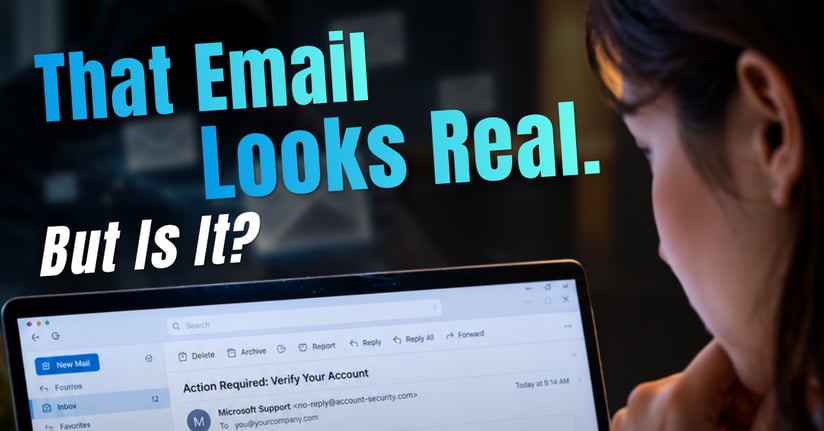
An email arrives in your inbox with a familiar company logo, a professional message, and a request to verify your account. Nothing seems unusual. The writing is clear, the formatting looks legitimate, and the sender appears trustworthy.
But what if the email isn't real?
Artificial intelligence (AI) is changing how cybercriminals create phishing emails. Messages that once contained obvious spelling mistakes or awkward wording can now look and sound like legitimate business communications.
For organizations, this means recognizing phishing attempts requires more than checking grammar or looking for suspicious formatting.
The good news? There are still warning signs you can recognize and practical steps you can take to reduce the risk.
What Are AI-Powered Phishing Emails?
AI-powered phishing emails are fraudulent messages that cybercriminals create or refine using artificial intelligence. Their goal is the same as traditional phishing: trick recipients into revealing sensitive information, opening malicious attachments, clicking harmful links, or sending money.
What makes AI-assisted phishing particularly concerning is how convincing these messages can become.
Generative AI can help attackers:
- Write professional emails with fewer spelling and grammar mistakes.
- Personalize messages using publicly available information.
- Imitate familiar business communication styles.
- Produce convincing messages quickly and at scale.
- Create emails in different languages with natural-sounding wording.
The FBI has warned that criminals use generative AI to create believable messages and support phishing and financial fraud schemes.
The takeaway: A professionally written email is not necessarily a trustworthy email.
Why Are Phishing Emails Becoming Harder to Recognize?
For years, cybersecurity awareness training encouraged employees to look for misspelled words, unusual grammar, and poorly formatted messages.
Those warning signs still matter, but they are no longer enough.
AI can help scammers eliminate many of the mistakes that previously made fraudulent emails easier to identify.
Consider an email that appears to come from a familiar software provider:
Subject: Action Required: Verify Your Account
We've detected unusual activity on your account. To prevent temporary suspension, please verify your identity within 24 hours.
A message like this might include professional branding, a familiar sender name, and a button directing you to a verification page.
The email may look legitimate, but the link could lead to a fraudulent website designed to steal login credentials.
The real warning sign is not necessarily how the email looks. It's what the email is asking you to do and whether the request can be independently verified.
6 Warning Signs of an AI-Powered Phishing Email
Even when a phishing email is well written, several warning signs can help you recognize suspicious activity.
1. Unexpected Requests for Sensitive Information
Be cautious when an email unexpectedly asks for passwords, financial information, verification codes, or confidential business documents.
A request may appear to come from a trusted organization or familiar contact, but that doesn't guarantee it is legitimate.
What to do: Verify unusual requests before providing information.
2. Suspicious Sender Addresses
An email may display a familiar company name while using an unfamiliar or misleading email address.
Cybercriminals can create lookalike domains or manipulate sender information to impersonate legitimate organizations.
What to do: Examine the full sender address, not just the displayed name. Remember that even a familiar address can be associated with a compromised account.
3. Links That Lead Somewhere Unexpected
Phishing emails frequently include buttons labeled “Verify Account,” “Review Document,” or “Update Payment Information.”
These buttons may direct recipients to fraudulent websites.
What to do: On a computer, hover over a link to preview its destination without clicking. On mobile devices, use the available link-preview feature. When in doubt, navigate to the organization's official website independently.
4. Pressure to Act Immediately
Messages that threaten account suspension, financial penalties, or interrupted services are designed to create urgency.
Attackers want recipients to act before questioning the request.
What to do: Take time to verify the situation. An urgent tone does not establish that a message is authentic.
5. Unexpected Attachments
A phishing email may include an invoice, account statement, document, or other attachment.
Opening an unexpected attachment could expose a device to malicious software.
What to do: Confirm that the attachment is legitimate before opening it, especially if you weren't expecting the file.
6. Requests That Don't Match Normal Business Procedures
An email might ask an employee to change payment instructions, share confidential information, or complete an unusual account verification process.
Even if the message appears to come from a supervisor or vendor, the request may be fraudulent.
What to do: Confirm unusual instructions through a trusted communication channel, particularly when money, credentials, or sensitive data are involved.
What Should You Do If You Receive a Suspicious Email?
If something about an email doesn't seem right, follow these steps.
1. Pause before taking action.
Avoid clicking links, opening attachments, replying, or sharing information until you've verified the message.
2. Review the sender and message.
Check the full email address, look for unusual requests, and examine any links without opening them.
3. Verify through a trusted source.
Visit the company's official website or use a phone number you already know. Don't rely on contact details provided in the suspicious email.
4. Report the message.
Use your organization's phishing-reporting process or contact your IT or security provider. Reporting suspicious emails can help identify similar threats.
5. Delete the email when appropriate.
Once you've reported the message and followed your organization's instructions, remove it from your inbox.
If you've already clicked a suspicious link or shared credentials, notify your IT or security provider immediately. Prompt reporting can help limit potential damage.
Why Employee Awareness Alone Isn't Enough
Teaching employees to recognize phishing attempts is an important part of cybersecurity, but it shouldn't be the only defense.
Even careful employees can encounter convincing phishing messages.
That's why organizations benefit from layered email security, which combines employee awareness with technical safeguards.
Depending on the organization's environment and needs, these protections may include:
- Advanced email threat detection: Helps identify suspicious messages, malicious links, and potentially harmful attachments.
- Email authentication: Uses technologies such as SPF, DKIM, and DMARC to help protect domains against certain forms of email spoofing.
- Multi-factor authentication: Adds another layer of account protection if a password is compromised.
- Endpoint and application security: Helps limit the potential impact of malicious files or unauthorized software activity.
- Security monitoring and incident response: Helps organizations investigate suspicious activity and respond to potential threats.
No single tool can stop every phishing attempt. The goal is to reduce exposure and limit the damage if an attack succeeds.
How Ferrum Technology Services Can Help Strengthen Email Security
As phishing techniques continue to evolve, organizations need an approach that addresses both employee awareness and technical protection.
Ferrum Technology Services helps organizations strengthen their cybersecurity through managed IT services, security solutions, and layered protection strategies.
Depending on your organization's needs, this may include email threat detection, domain authentication, endpoint protection, account security, and ongoing security management.
Solutions such as INKY, EasyDMARC, and ThreatLocker can support different parts of a broader security strategy. These technologies address different risks and work best when implemented as part of a coordinated approach.
The objective isn't to expect employees to catch every suspicious email. It's to build an environment where people, processes, and security tools work together to reduce risk.
Frequently Asked Questions About AI-Powered Phishing
Can AI create convincing phishing emails?
Yes. Generative AI can help cybercriminals produce professional, personalized phishing messages with fewer spelling and grammar mistakes. This can make fraudulent emails more difficult to recognize based on writing quality alone.
How can you tell if an email is a phishing attempt?
Look for unexpected requests, suspicious sender addresses, unusual links, urgent demands, and attachments you weren't expecting. If you're uncertain, contact the sender or organization through a trusted channel.
Are phishing emails always poorly written?
No. Modern phishing emails can contain professional language, accurate branding, and convincing formatting. Good grammar is not proof that an email is legitimate.
Can email security software stop AI-powered phishing?
Email security tools can help detect and block many phishing attempts, but no solution guarantees complete protection. Layered security, account safeguards, and employee awareness remain important.
What should employees do after receiving a suspicious email?
Avoid interacting with the message, verify any unusual requests independently, report it through the organization's approved process, and delete it when instructed.
How can organizations reduce phishing risks?
Organizations can strengthen their defenses through employee education, advanced email filtering, email authentication, multi-factor authentication, endpoint security, and established incident response procedures.
The Bottom Line: Look Beyond the Appearance of an Email
AI is making phishing emails more convincing, but the fundamentals of protecting your organization remain important.
Pause before clicking. Question unusual requests. Verify messages independently. Report suspicious activity.
And remember, recognizing phishing attempts is only one part of staying protected.
The right combination of awareness, security tools, and proactive management can help organizations reduce phishing risks and strengthen their overall cybersecurity posture.
Strengthen Your Organization's Email Security
Don't rely on appearances alone.
Contact Ferrum Technology Services to learn how layered security solutions can help protect your organization's email, accounts, and business information.
Visit ferrumit.com to get started.
Sources
- Federal Bureau of Investigation (FBI), Criminals Use Generative Artificial Intelligence to Facilitate Financial Fraud (December 2024).
https://www.ic3.gov/psa/2024/psa241203 - Canadian Centre for Cyber Security, Spotting Malicious Email Messages.
https://www.cyber.gc.ca/en/guidance/spotting-malicious-email-messages-itsap00100 - UK National Cyber Security Centre (NCSC), How to Spot a Scam Email, Text Message or Call.
https://www.ncsc.gov.uk/collection/phishing-scams/spot-scams - Federal Trade Commission (FTC), Protect Yourself From Phishing Scams (April 2025).
https://consumer.ftc.gov/consumer-alerts/2025/04/protect-yourself-phishing-scams - Federal Bureau of Investigation (FBI), Spoofing and Phishing.
https://www.fbi.gov/how-we-can-help-you/common-frauds-and-scams/spoofing-and-phishing